Account Transfer Policy
Keeper is zero-knowledge: nobody, including Keeper and including us, can read a vault by force. That is the entire point of the product, and it creates one problem every business must answer before it becomes urgent.
The answer is Account Transfer: a policy, configured in advance and consented to by each user, naming which admin role may inherit a locked user's vault. Configure it late and it does nothing for anyone who already left.

How it actually works
The two setup steps are easy to confuse, so be precise:
- Administrative permission — the admin role that will perform transfers needs the Transfer Account permission ticked.
- Enforcement policy — on the role your staff sit in, turn on Enable Transfer Account and choose, from the dropdown, which admin role may receive those vaults.
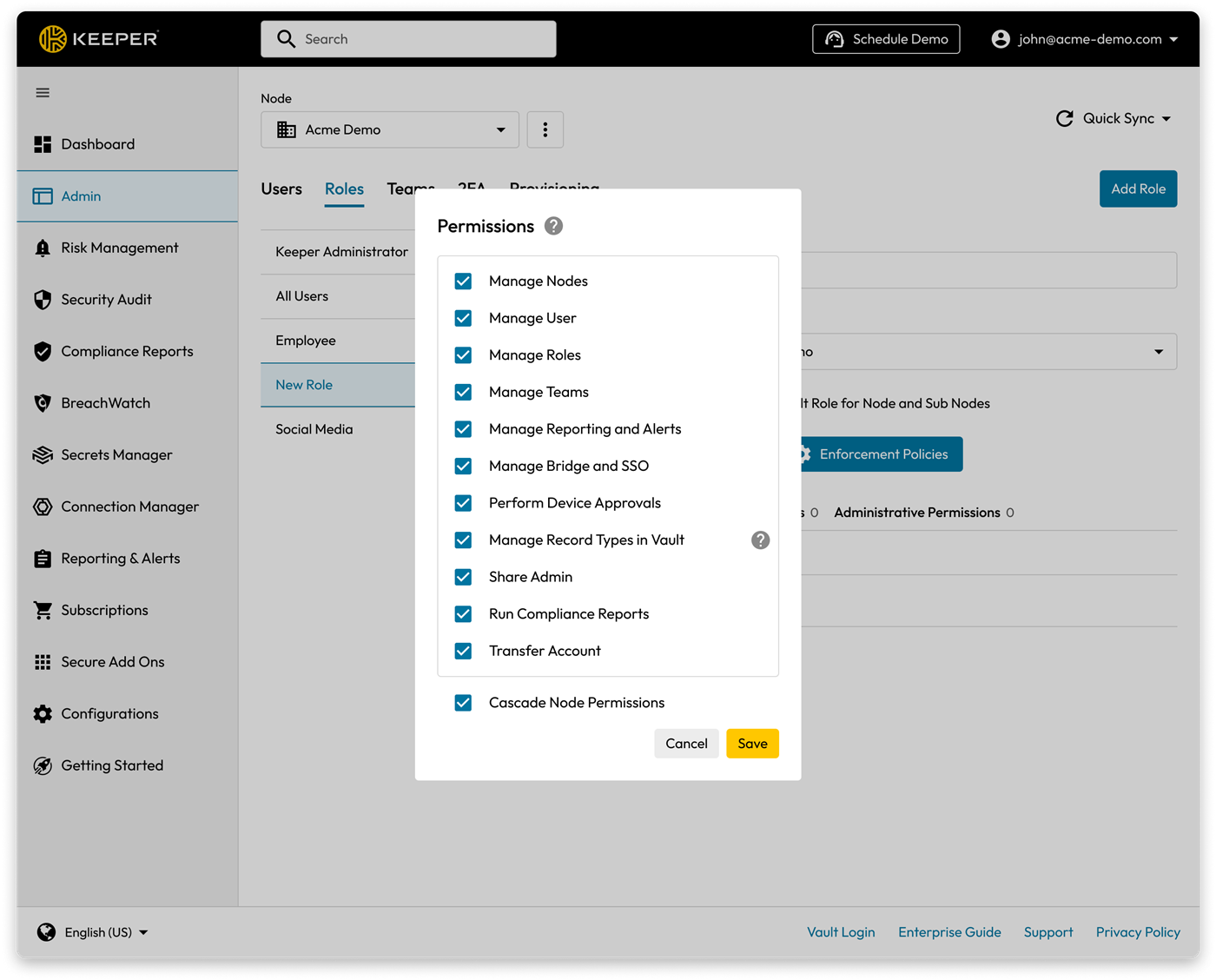
Our Admin Console: Enforcement Policy → Transfer Account, showing the chosen role.
Not uploaded yet — add it at
/admin/screenshots (slot live-transfer).The consent step, which is where it quietly fails
Once the policy is on, every affected user gets a prompt at next login and must Accept it. Acceptance performs an encryption key exchange, which is what makes a future transfer mathematically possible. Users get seven days; after that they cannot use their vault until they accept.
Note also: if you later change which admin role is the recipient, everyone is re-prompted and must accept again.
What happens on the day
- Lock the account from the user's panel. Transfer is refused on an active account. This is the safety interlock that stops an admin quietly draining a live vault.
- Choose Transfer Account and pick the recipient.
- Records, folders and deleted items move into the recipient's vault, gathered into a single folder named after the original owner.
- The original account is then permanently deleted. There is no undo, and the user is notified at each stage.
Say it to the customer honestly
Customers hear "someone can inherit my vault" and tense up. Get ahead of it: the account must be locked first, the recipient is their choice, and every user is asked to consent in the open.
The Simple Technologies rules — enforce these
- The recipient is the customer's own owner or admin, never Simple Technologies by default. A business's credentials belong to the business.
- We may be the recipient only with a written agreement and explicit owner approval. If a customer asks on a visit, do not agree on the spot. Flag it for Chase.
- Set it during onboarding, alongside the first user invites.
- Verify acceptance before you call the deployment done.
Check on every visit
- Is transfer enabled on the roles real staff actually sit in?
- Which admin role is the recipient, and is that still right?
- Have all users accepted? Any stragglers inside their seven days?
- Does the owner know who the recipient is? If not, have that conversation now rather than at a tribunal.
Go deeper
- Keeper docs — Account Transfer Policy — the authoritative procedure, including the consent prompt
- Keeper docs — Enforcement Policies — where Enable Transfer Account lives
- Keeper — Vault Transfer overview — the customer-facing explanation, useful for quoting
Keeper product screenshots from Keeper Security's partner asset pack. Internal Simple Technologies training material, covered by NDA — not for redistribution.