Inside Keeper
From outside it looks like "the password app". Underneath it is one encrypted vault with several doors, plus company-wide control on top for the businesses we manage.
The building blocks
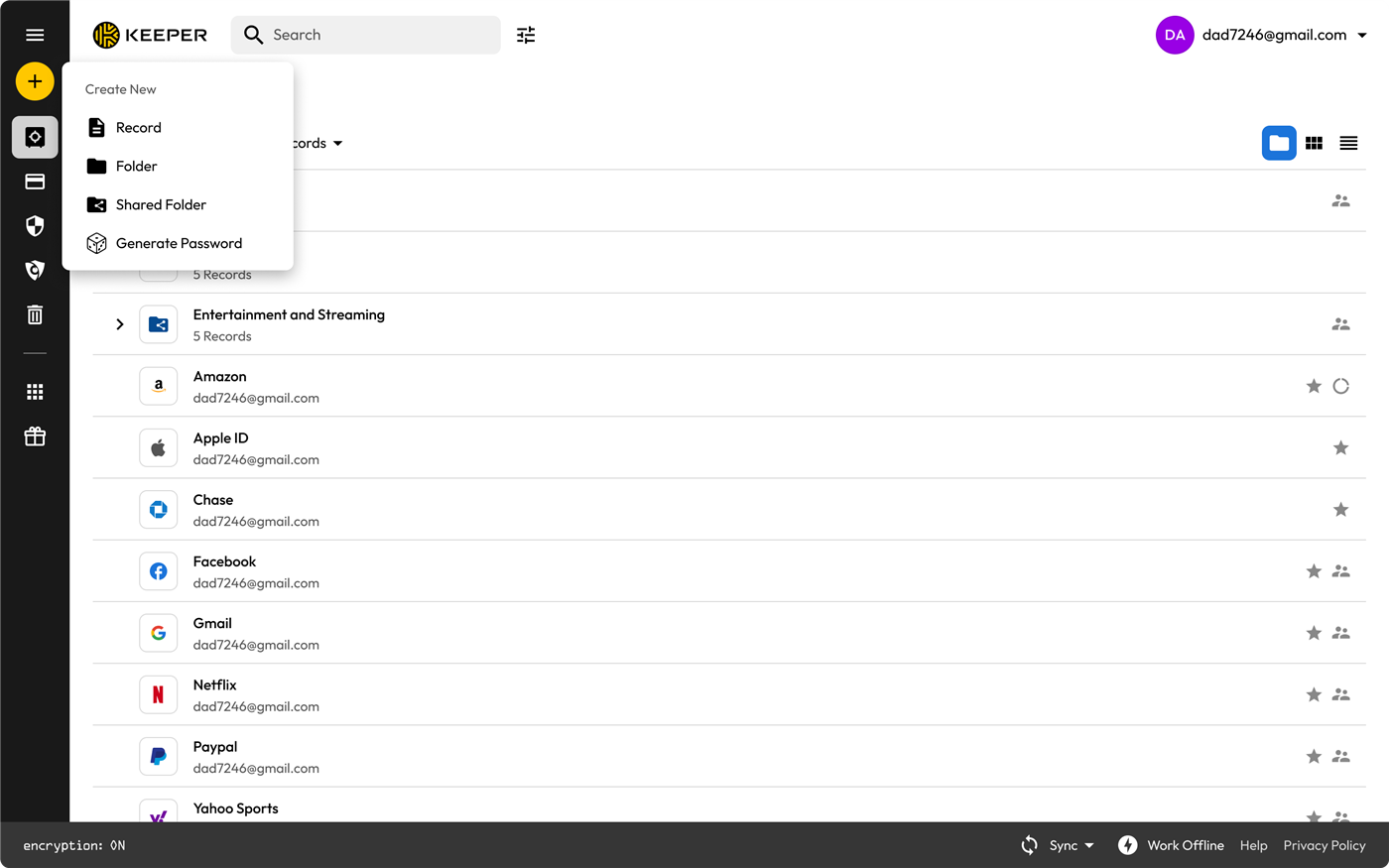
- Vault — the encrypted container for everything: logins, passkeys, notes, files, cards, identities.
- Record — one saved thing, with typed fields plus extras like a Two-Factor Code.
- Folder — organisation for one person.
- Shared folder — organisation plus permissions. This is how a team shares credentials without anyone emailing a password.
- KeeperFill — the browser extension, covered in its own guide.
Sharing: records versus folders
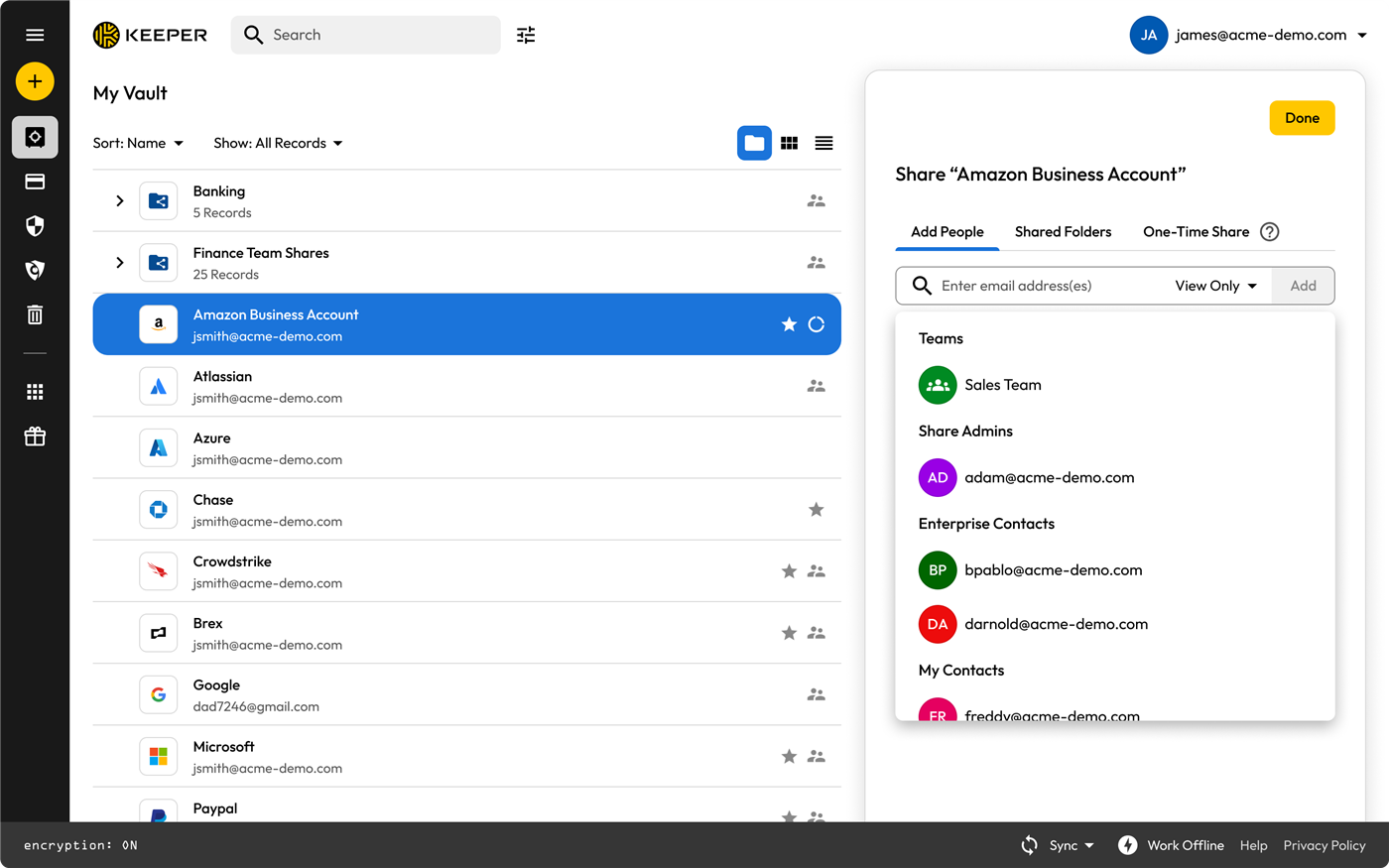
You can share a single record with one person:
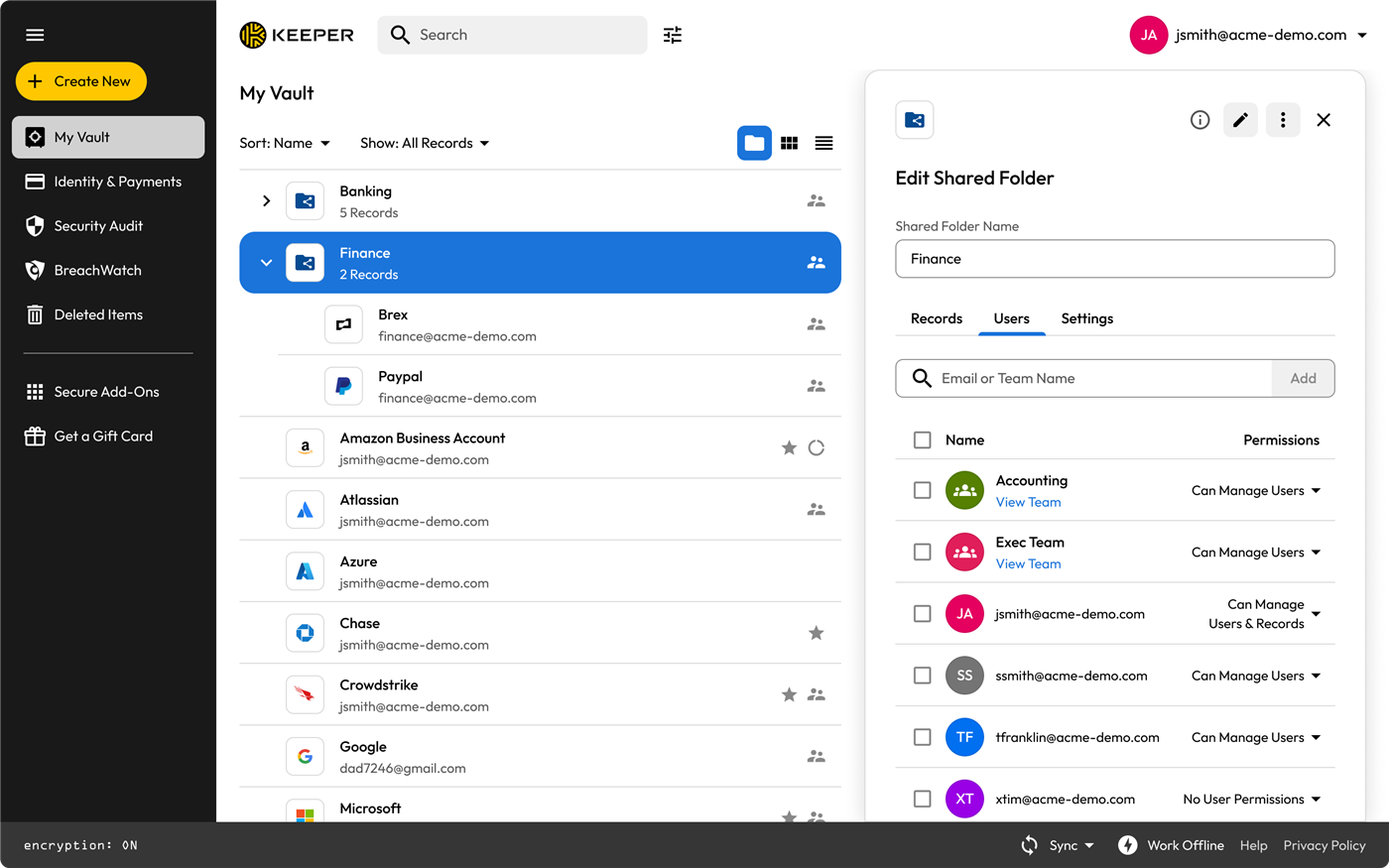
For client work, share the folder instead. Permissions live on the shared folder and everything dropped inside inherits them, so access is automatic and there is nothing to maintain per record:
Custom record types
Beyond the built-in Login record, a business can define its own templates — a "Server Credential" with hostname, port and SSH key, or a "Client Wi-Fi" with SSID and passphrase.
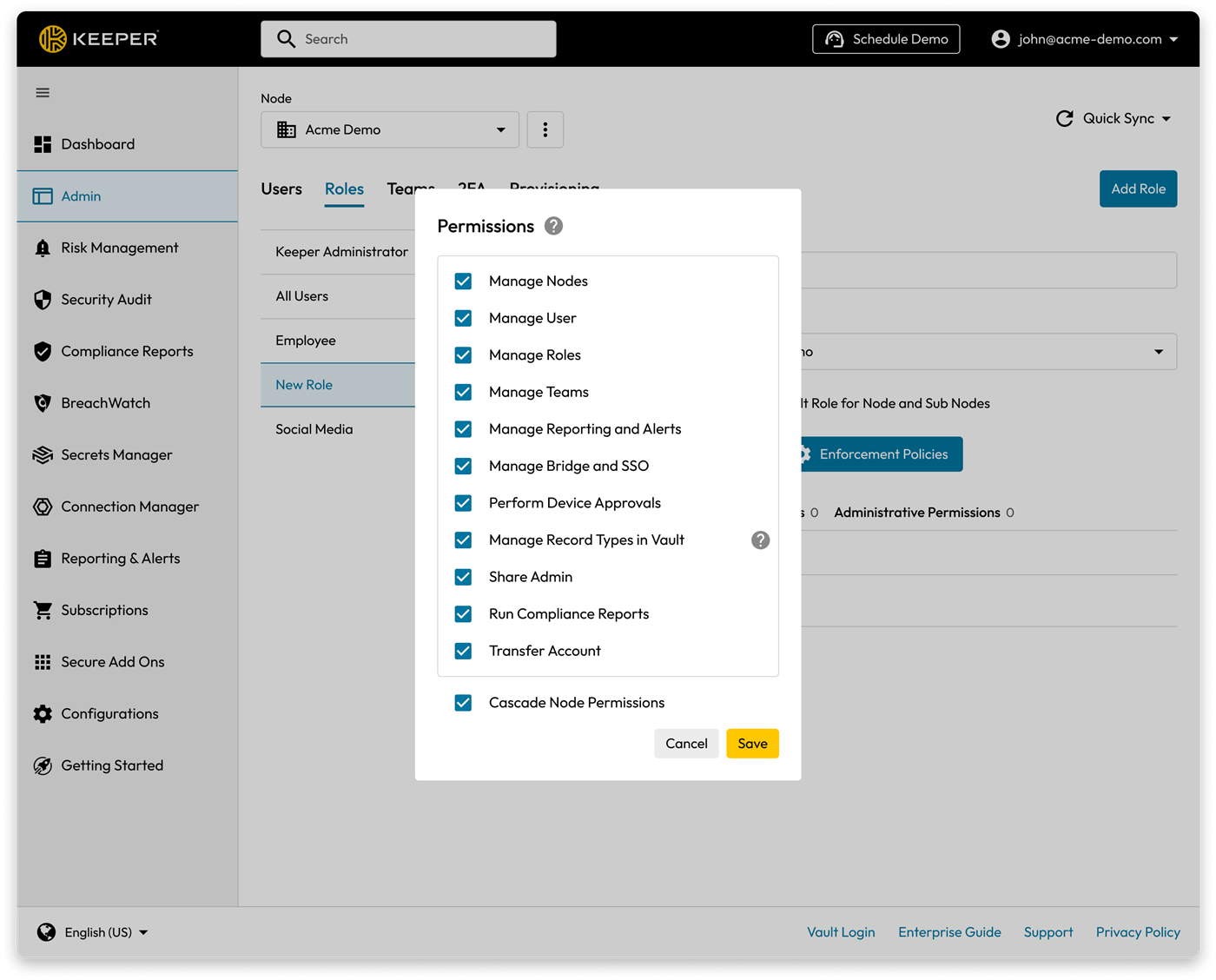
- Who can create one: an admin whose role has Manage Record Types in Vault.
- Who can use it: any user whose role has that type enabled. Publishing makes it available enterprise-wide; it is not a per-user switch.
- Sharing: identical to any other record.
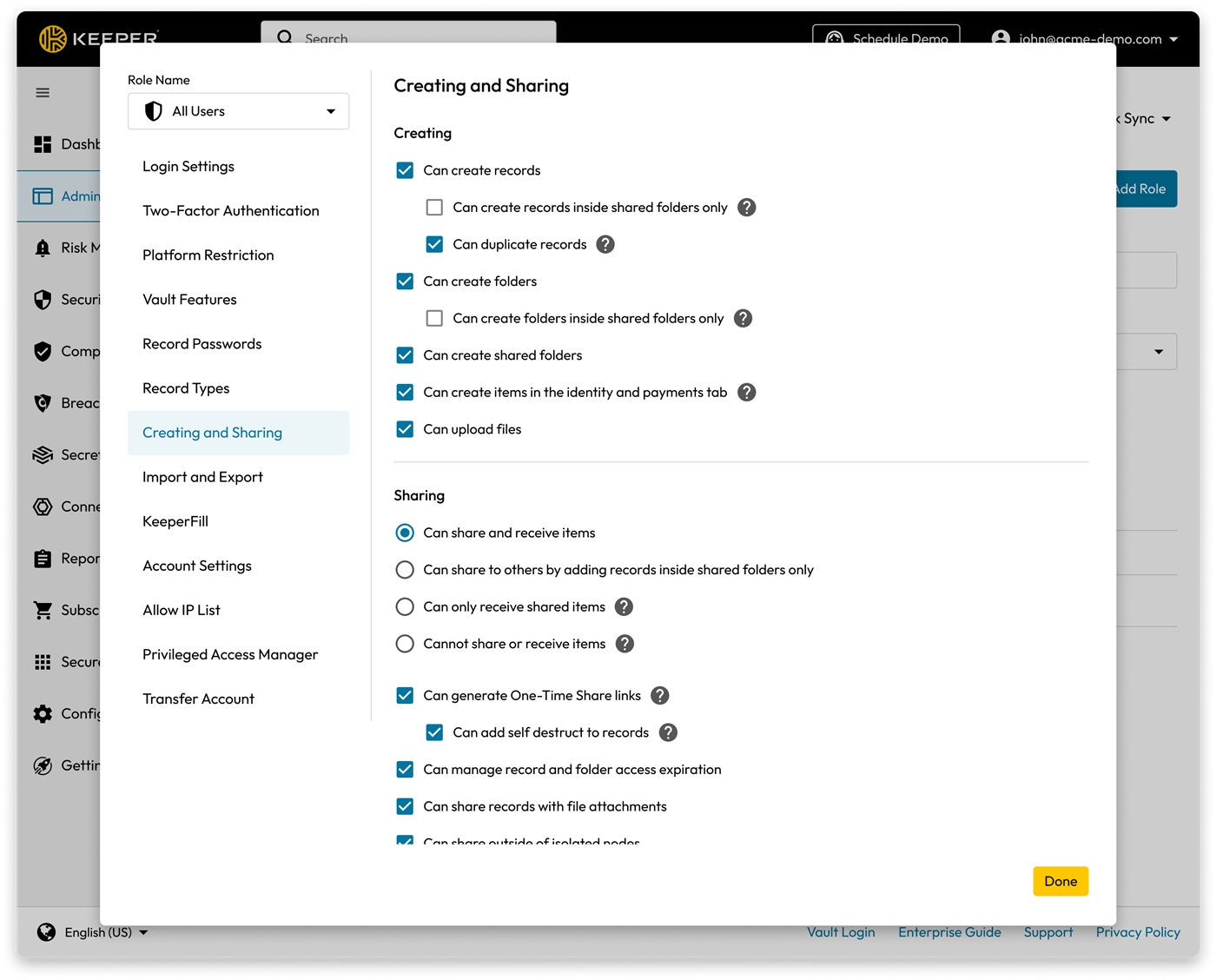
The Admin Console (ours, not theirs)
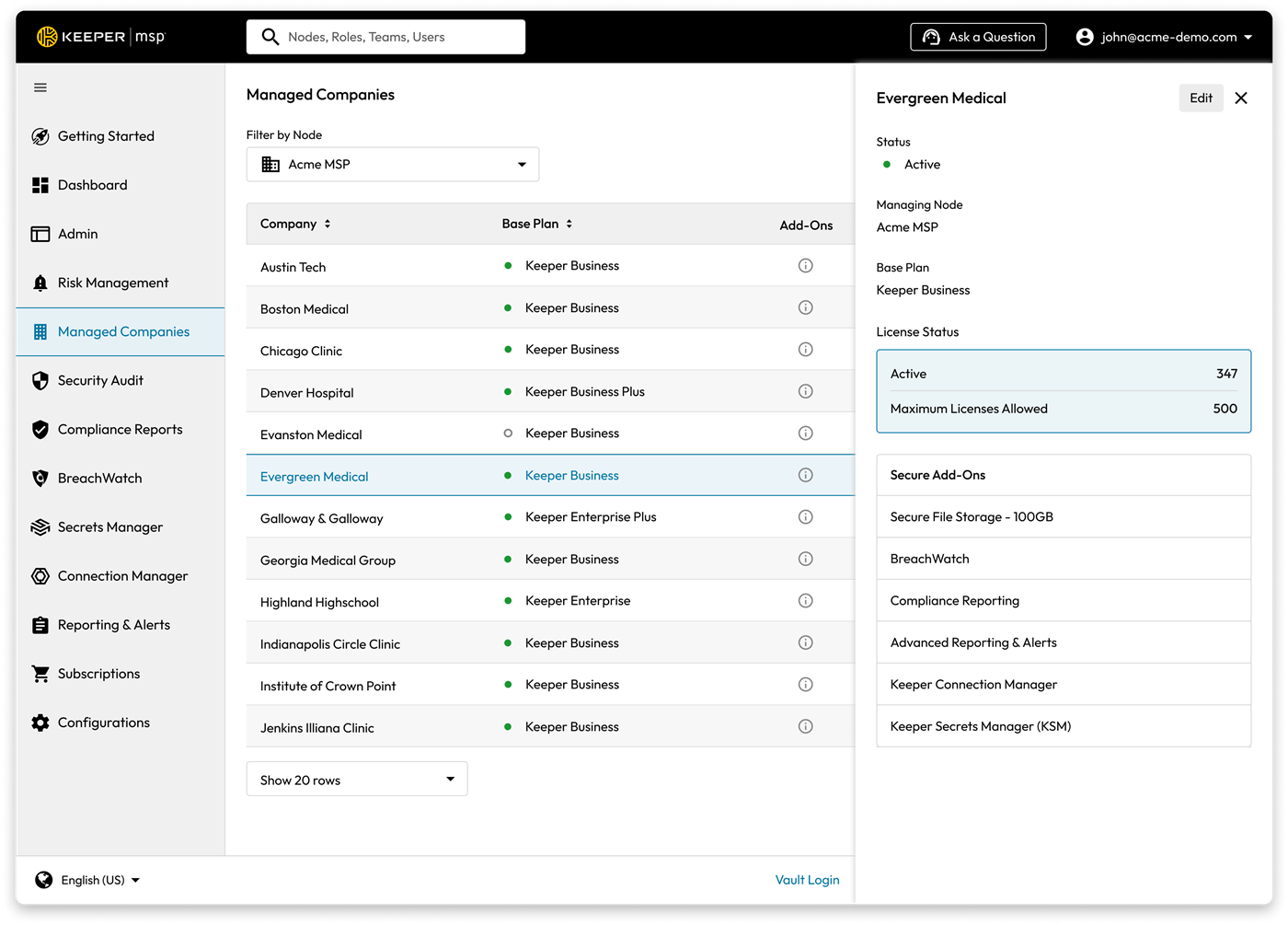
Each business we manage is a Managed Company with its own users, nodes and roles. This is where we set a customer up; the end user never needs to see it.
Go deeper
- Keeper docs — Record Types — custom types, publishing, role enforcement
- Keeper docs — Roles and RBAC — how permissions and enforcement policies fit together
- Keeper docs — Admin Console overview — the console we work in daily
Keeper product screenshots from Keeper Security's partner asset pack. Internal Simple Technologies training material, covered by NDA — not for redistribution.