Running a Security Tune-Up
This is the paid visit. You sit with the customer, work through their important accounts, and leave every one better than you found it.
Open the visit
Say this to a customer"Today I'm going through your important accounts with you. For each one I'll set a strong new password that Keeper remembers for you, turn on two-factor where it's offered, and clear out anything that shouldn't still have access — an old phone, a login you don't use. You'll be signed in the whole time; I'm just guiding you through the buttons."
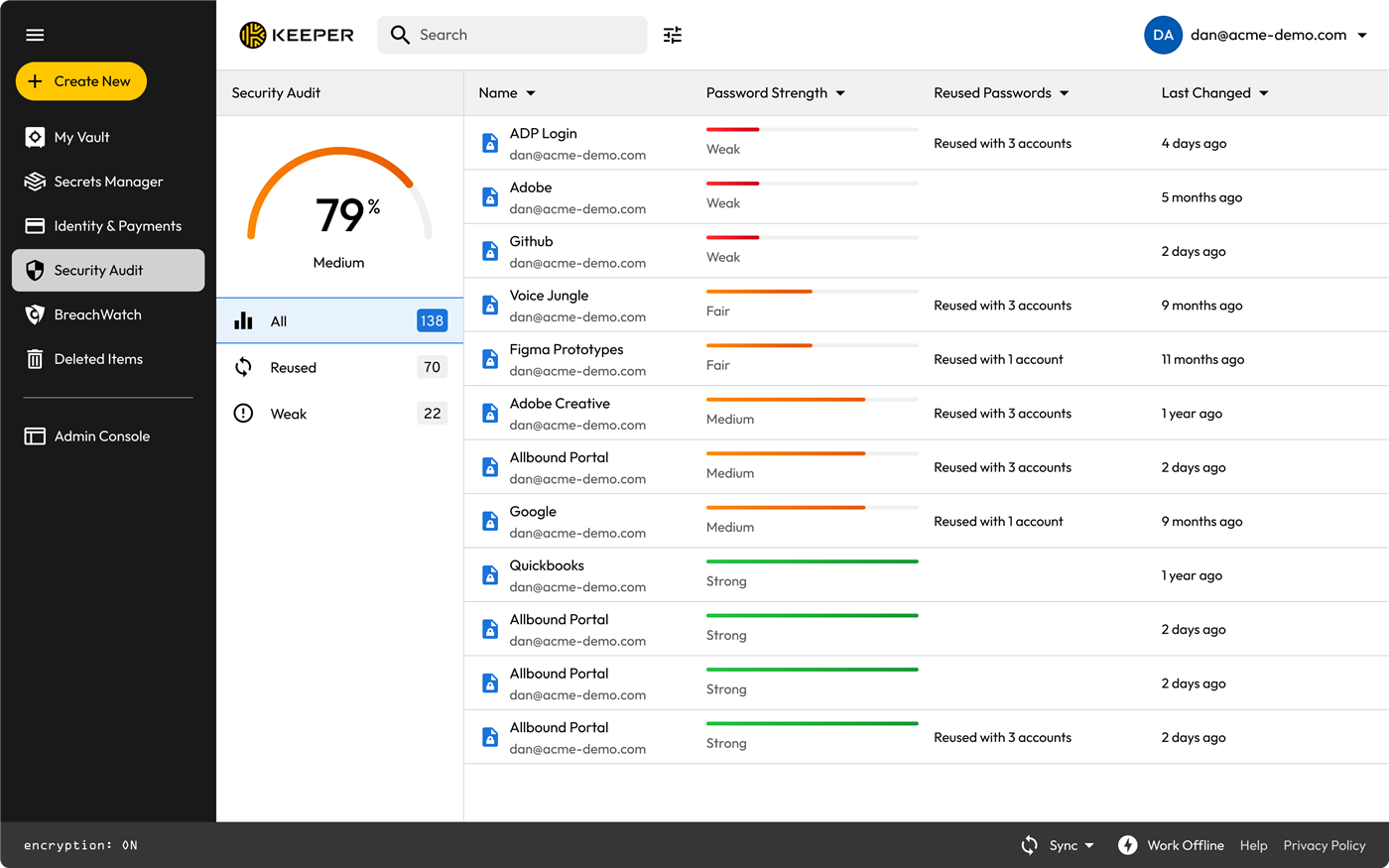
If they already use Keeper, open the Security Audit first. It hands you the fix-list and makes the argument for you:
The checklist, per account
- Sign in as normal and let Keeper offer to save it if it isn't saved.
- Look before you change anything. Old passkeys, unknown devices, active sessions, an authenticator they don't recognise. Write it down; you'll clear it at the end.
- Change the password with the generator, sixteen characters or more. Confirm the record updated, not just the website.
- Add two-factor if the site offers it. Duo if they're a managed customer, a hardware key for high-value accounts, otherwise a code in Keeper. Never propose SMS.
- Offer a passkey where supported. Frame it as "even less to remember".
- Remove the stale things from step two.
- Sign out and back in together so they see Keeper fill it all with no typing. Do not skip this. It is what makes them believe it.
Before you leave
- Is KeeperFill installed in every browser they actually use, with "Ask to Store Passwords" on?
- Can they find a record on their phone, unaided?
- Business customer: are shared credentials in a shared folder rather than one person's vault?
- Business customer: is the account transfer policy configured and accepted?
- Are the recovery codes saved somewhere they will still exist in a year?
Practise it here first
Every step above has a matching mission in the Training Track. Ask your trainer for the "Customer needs a security tune-up" scenario: it starts with a weak password, no 2FA and a stale passkey already planted, so you can run the whole script before doing it in front of someone paying.
Questions they ask, and answers that land
- "Why can't I just remember my passwords?" "You can — but then they're either reused or simple enough to guess. Keeper remembers a different long random one for every site, and only you can open the vault."
- "Is my information safe with Keeper?" "Everything is encrypted on your own device before it's stored. Keeper's staff can't read it, and neither can we."
- "What if I lose my phone?" "That's what the recovery codes we're saving today are for, and we'll prove you can get back in before I leave."
- "Isn't one place for all my passwords risky?" "It's one very strong door instead of thirty weak ones. And even we can't open it."
- "What happens if my bookkeeper quits?" "There's a setting for exactly that. Let me show you the transfer policy." (See Account Transfer Policy.)
Keeper product screenshots from Keeper Security's partner asset pack. Internal Simple Technologies training material, covered by NDA — not for redistribution.
Simple Technologies · Login Lab — a training sandbox. Nothing here is a real account. · Guides · Training Track