Two-factor means signing in takes two different kinds of proof: something you know, and something you have. A stolen password stops being enough.
What we recommend, and what we don't
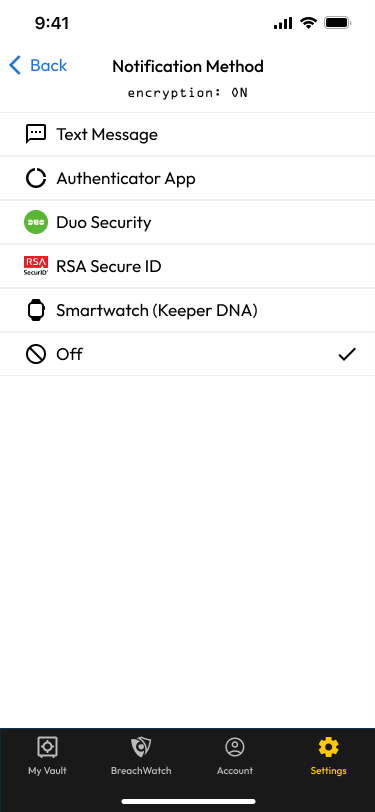
House rule: we never recommend SMS. Text-message codes can be stolen by SIM swapping, where an attacker moves the customer's number to their own phone. If a customer already has SMS on, leave it as a fallback and add something stronger above it — but it is never what we propose.
Our normal answer for a managed customer is Duo, which we run for them through our Duo MSP account. It is a push notification they approve, so there is nothing to type, and we can manage it centrally. For high-value accounts, add a hardware security key. Where neither applies, an authenticator code stored in Keeper is the right tool.
A typical method picker, as a customer sees it
You will see RSA SecurID offered on some enterprise sites. We do not sell or support it, and it is expensive. Do not propose it.
Know which "2FA" you are working on
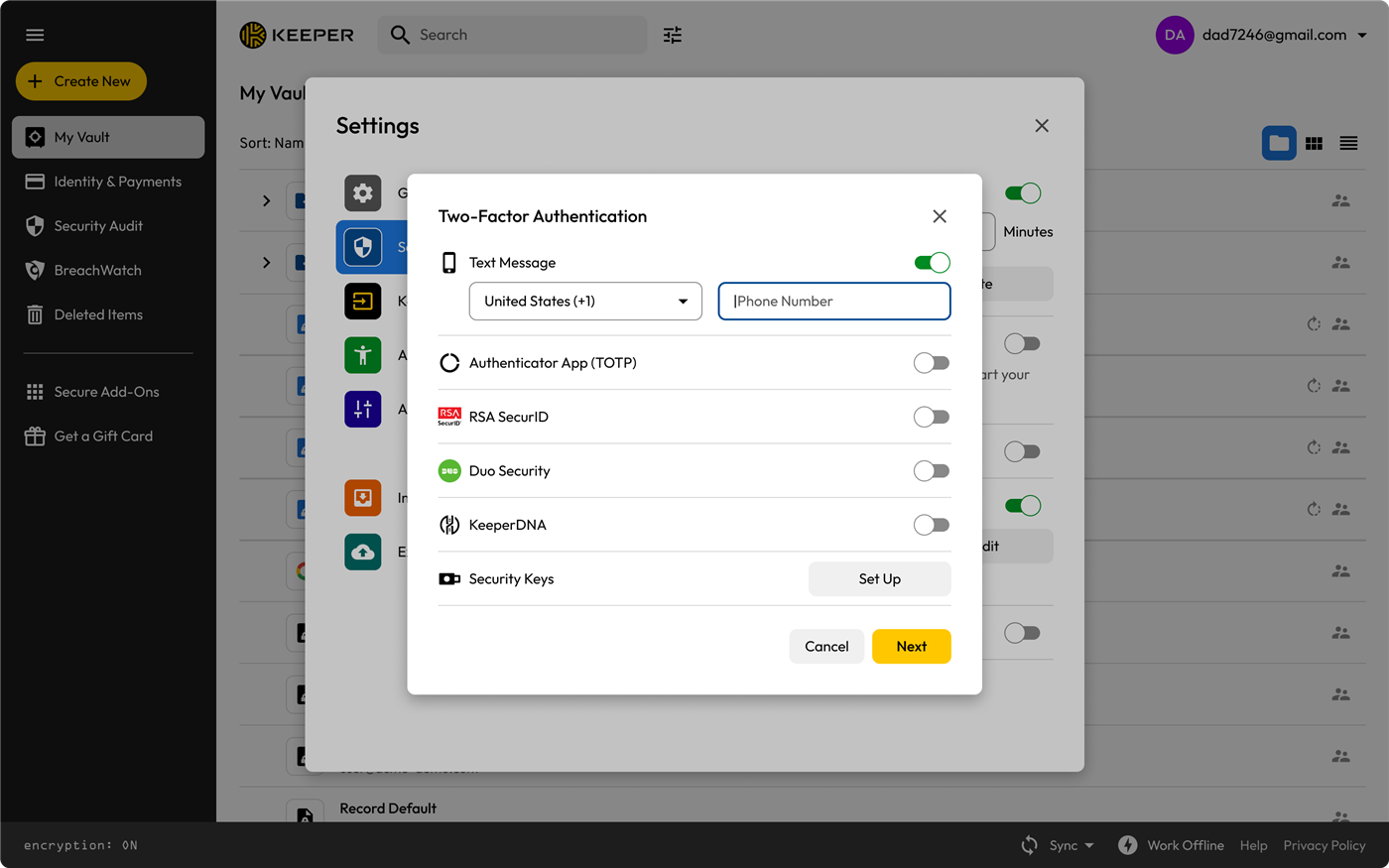
Two-factor settings for the Keeper account itself
Putting a website's code into Keeper
This is the sequence to run with a customer sitting next to you.
Turn on 2FA at the website. It shows a QR code, and behind a "can't scan?" link, a text setup key. Do not close that page.
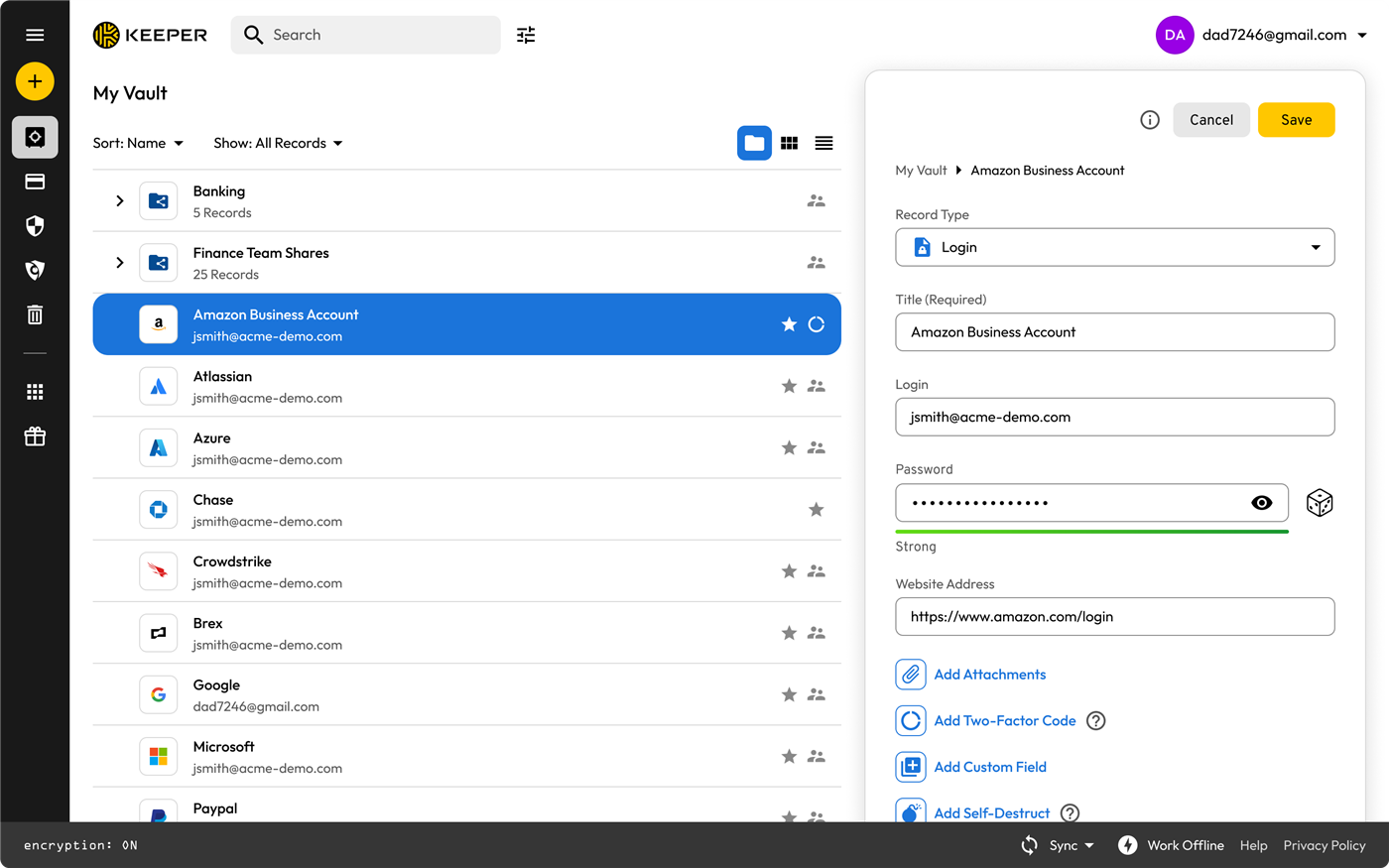
Open the matching record in Keeper and edit it. Add a Two-Factor Code field.
A record in edit mode, where the field is added🖼️ Our own vault: adding the field to a test record Our own vault: a test record in edit mode with the Two-Factor Code field being added. Not uploaded yet — add it at /admin/screenshots (slot live-totp-add).
Give it the secret. Scan the QR from the mobile app, or paste the setup key on desktop. Keeper starts generating codes immediately.
🖼️ Our own vault: the QR code and setup key Our own vault: the QR code / setup key Keeper shows for a TOTP field. Not uploaded yet — add it at /admin/screenshots (slot live-totp-qr).
Confirm at the website with the code Keeper now shows.
Save the recovery codes into the record's notes. Everyone skips this. Everyone later regrets it.
Sign out and back in together, so the customer watches Keeper fill the code. This is the moment they stop resisting.
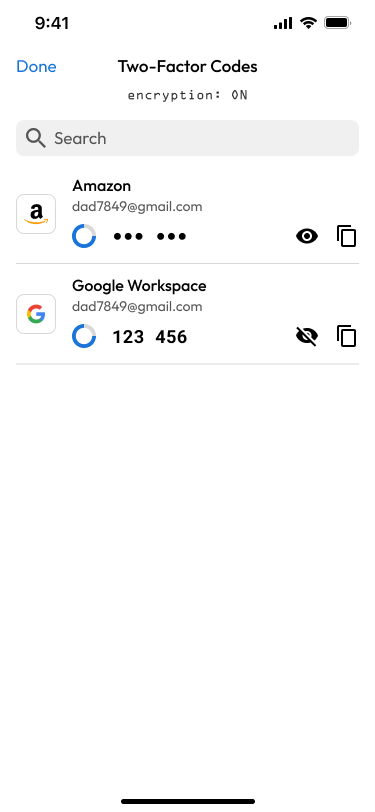
Live codes with their countdown rings
Why the code works, and why it breaks
Say this to a customer"Right now, if somebody gets your password — maybe from a breach at a completely unrelated website — that's all they need. With this on, they'd also need your phone. And because Keeper holds the code, you won't really notice it: it fills itself in."
When it goes wrong
Codes always rejected. The clock. Set date and time to automatic and try again. This is the most common call.
Lost the phone with the authenticator. Use a recovery code, turn 2FA off, turn it back on for a fresh secret, update the Keeper record. Practise this exact cycle in the Training Track.
Locked out after too many tries. Expected behaviour. Know what the screen looks like and who clears it.
They deleted the record. The 2FA secret went with it. For business accounts this is why such records belong in a shared folder, not one person's vault.
Approving a push they didn't trigger. Teach them to decline and tell you. Repeated prompts mean somebody already has the password.
Keeper product screenshots from Keeper Security's partner asset pack. Internal Simple Technologies training material, covered by NDA — not for redistribution.
Simple Technologies · Login Lab — a training sandbox. Nothing here is a real account. · Guides · Training Track